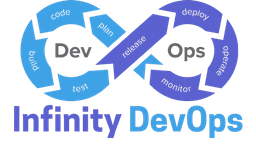

In modern software engineering, continuous integration and continuous delivery (CI/CD) represent the backbone of product shipping. However, many engineering teams treat CI/CD merely as a tooling selection—debating between GitHub Actions, GitLab CI, or Jenkins—rather than defining a robust, predictable software delivery lifecycle contract: what artifacts get produced, what checks must pass, and how a change progresses from a developer's local branch to production. Designing a reliable, fast, and scalable pipeline from day one prevents developer burnout, minimizes shipping bugs, and boosts release velocity. Here is a comprehensive blueprint for building high-performing pipelines.
1. Establish a Clear Branching Strategy
Your pipeline flow is directly tied to how you write and merge code. We recommend Trunk-Based Development with short-lived feature branches:
- Developers branch from
main, work on small changes, and merge back within 24–48 hours. - Long-running branches are avoided to prevent merge conflicts and synchronization overhead.
- All releases are built from the
mainbranch, ensuring a single source of truth.
2. The Multi-Gate Quality Assurance Model
To keep feedback loops fast, categorize your pipeline into distinct stages, or "gates." Checks that run faster and are cheaper should execute first, while slower, expensive integration tests run later.
Gate A: Pull Request (Pre-Merge Validation)
Every PR must pass automated checks before it can be merged. These checks should run concurrently to save time:
- Code Style & Formatting: Run static analysis linters (e.g., ESLint, Prettier, Black) to enforce consistent style guidelines and prevent trivial formatting reviews.
- Unit Testing: Execute tests in isolation. Aim for 80%+ coverage on core business logic. The unit test suite should run in under 3 minutes.
- Secret Scanning: Scan for mistakenly committed passwords, private keys, or API tokens using tools like GitLeaks or TruffleHog. If a secret is detected, fail the build instantly.
Gate B: Staging & Integration (Post-Merge Validation)
Once a PR is merged into main, the pipeline compiles the application, packages it into a single artifact (such as a Docker container image), and tags it with the unique git commit SHA. This artifact is then deployed to staging:
- Integration Testing: Run tests that verify interaction between your service and databases, caches, or external APIs.
- End-to-End (E2E) Testing: Simulate real user journeys using headless browsers (e.g., Playwright or Cypress) to test front-end layouts and workflows.
- Vulnerability Scanning: Scan the built container layers for operating system and application library vulnerabilities using tools like Trivy or Snyk.
Gate C: Production Promotion (Progressive Delivery)
Deploying changes to 100% of your production traffic at once is a high-risk operational style. Instead, adopt progressive delivery:
- Canary Deployments: Deploy the new code version to a tiny subset of servers (e.g., 5% of traffic). Monitor key metrics such as error rates, database CPU utilization, and latency.
- Automated Rollback: Set up automated alerts. If the canary environment triggers any alarms (like HTTP 500 error rates rising above 1%), the pipeline should instantly reroute traffic to the previous version and terminate the canary pods.
3. Annotated GitHub Actions Configuration Example
Here is an example GitHub Actions workflow representing a modern CI validation pipeline:
name: CI Pipeline

on:
  pull_request:
    branches: [ main ]

jobs:
  validate:
    runs-on: ubuntu-latest
    steps:
      - uses: actions/checkout@v3
      - name: Setup Node.js
        uses: actions/setup-node@v3
        with:
          node-version: 18
      - name: Install Dependencies
        run: npm ci
      - name: Run Linter
        run: npm run lint
      - name: Run Tests
        run: npm test -- --coverage
4. Pipeline Observability & Golden Rules
Do not treat your pipeline as a black box. Export pipeline duration, success rates, and failure logs to your team's centralized dashboard. When a build fails, the developer should be able to pinpoint the exact failure (e.g., a failing test case or lint error) in seconds, not minutes.
Infinity DevOps
Sharing practical DevOps knowledge with the community.