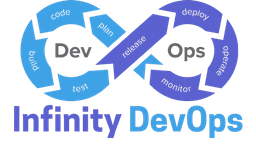

In traditional software development cycles, security checks were conducted right before release, often by external auditing teams. This approach created significant friction, resulting in delayed product launches, rushed hotfixes, and friction between security and engineering teams. "Shift-left" security is the practice of moving security scanning and validation into the earliest phases of development—ideally onto the developer's workstation and into the initial pull request validation pipeline. Here is how you can catch and resolve vulnerabilities cheaply.
1. Pre-Commit Hooks: Local Verification
The cheapest security vulnerability is the one that is caught before it is ever committed to your git repository. Enforcing pre-commit hooks ensures that code is scanned locally before it leaves the developer's laptop. Use the popular pre-commit framework to run these local validations:
- Entropy-based Secret Scanning: Run tools like GitLeaks or TruffleHog to detect high-entropy strings, API tokens, AWS keys, database connection strings, or SSH keys before commits are allowed.
- Local Linters & Scanners: Check configuration files (like Dockerfiles, Kubernetes manifests, or Terraform code) for simple security errors (e.g., running container applications as root, or using plain HTTP endpoints instead of HTTPS).
2. Static (SAST) & Dynamic (DAST) Security Testing
Integrating security tools into the CI/CD pipeline ensures that every code change is analyzed automatically:
- Static Application Security Testing (SAST): SAST scanners inspect source code files in their resting state. Tools like Semgrep, CodeQL, and SonarQube scan your codebase for common security issues (e.g., SQL injection risks, cross-site scripting vulnerabilities, insecure cryptography settings) in minutes.
- Dynamic Application Security Testing (DAST): DAST scanners run against a compiled, active staging environment, simulating external web attacks (like cross-site scripting attacks, SQL injection attempts, or cookie hijackings) to find exploitable endpoints.
3. Software Composition Analysis (SCA) & SBOMs
Most modern software applications are built using open-source dependencies. If those dependencies have vulnerabilities, your production application is vulnerable as well. Implement SCA tools (such as Snyk, Trivy, or GitHub Dependabot) to manage this risk:
- Manifest Scans: Continuously parse package manifest files (e.g.,
package-lock.json,requirements.txt) and match dependencies against public CVE (Common Vulnerabilities and Exposures) databases. - Vulnerability Gates: Fail pipelines if developers attempt to merge dependencies containing high or critical severity vulnerabilities.
- Software Bill of Materials (SBOM): Generate and publish an SBOM for your releases to prove compliance and tracking of third-party dependencies.
4. Secure Configuration for Pipelines
A major benefit of modern tools like Semgrep is the ability to write custom, lightweight security policies tailored to your codebase. Here is an example rule file to block the use of JavaScript's dangerous eval() function:
# .semgrep/eval-block.yaml
rules:
  - id: block-eval-function
    patterns:
      - pattern: eval(...)
    message: "CRITICAL: The eval() function is highly vulnerable to code injection. Use JSON.parse or alternative secure methods instead."
    severity: ERROR
    languages: [javascript, typescript]
5. Establish a Paved Road Architecture
Security should not feel like an obstacle. Rather than simply blocking developer work with failing builds, build a "Paved Road"—pre-configured, secure-by-default templates, container base images, and CI/CD pipelines. When the secure path is the easiest path, developers naturally follow it, and compliance is built in from the start.
Infinity DevOps
Sharing practical DevOps knowledge with the community.