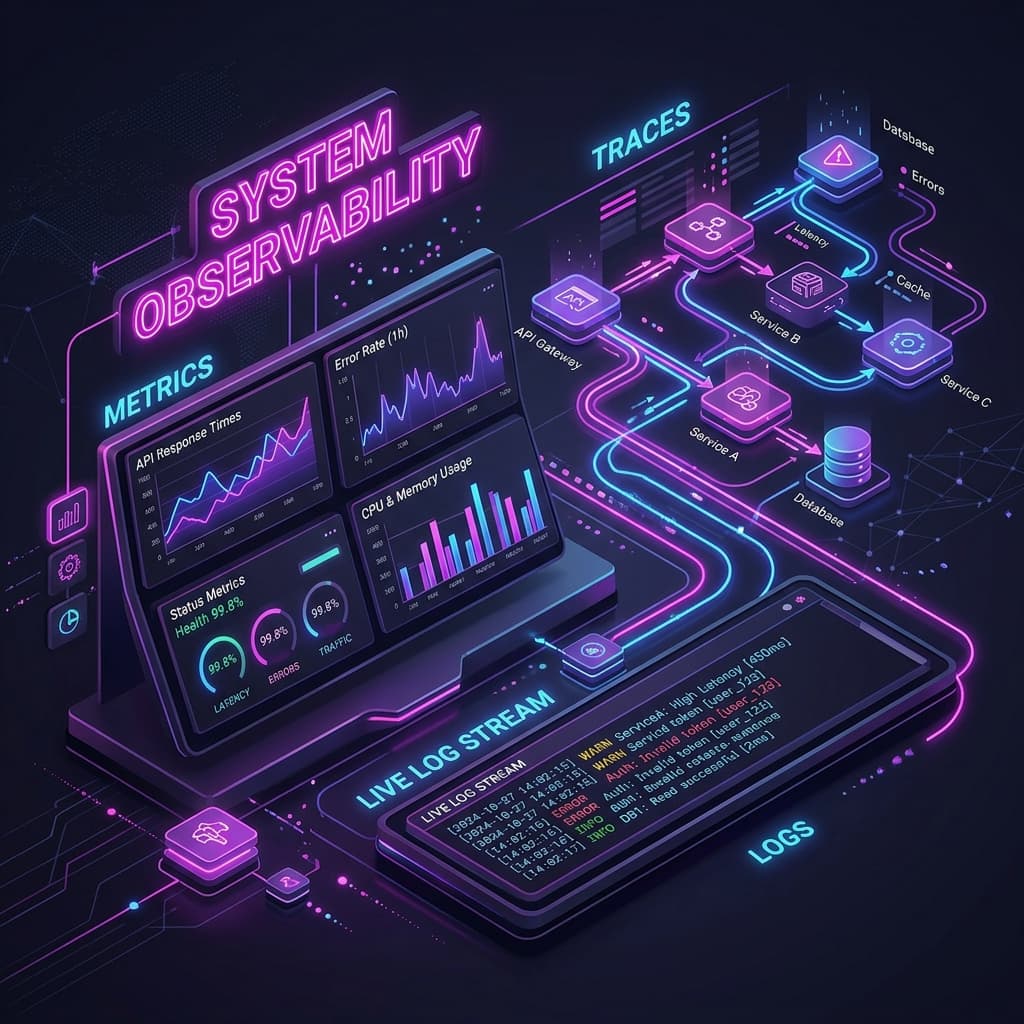
In monolithic applications, debugging a bug was straightforward: log on to the server, open the text log file, and search for the stack trace. In modern distributed architectures, a single user request can trigger a chain of calls across dozens of microservices, serverless functions, database clusters, and external payment APIs. Observability is the practice of understanding the internal state of a system based on its external outputs. To implement observability, you must correlate three pillars: metrics, logs, and traces.
1. Metrics: The High-Level Alerting (The "What")
Metrics are numeric values aggregated over time. They are computationally cheap to collect, query, and store, making them ideal for real-time alerting and high-level dashboards. When configuring metrics dashboards, prioritize the RED Method for web services:
- Rate: The number of incoming requests per second.
- Errors: The number of failing requests (e.g., HTTP 5xx codes or failed database queries).
- Duration (Latency): The time it takes to process requests. Monitor p95 and p99 latencies to identify delays experienced by users.
2. Logs: Detailed Event Records (The "Why")
Logs are timestamps and message strings recorded when specific operations occur. To make logs useful at scale:
- Use Structured Logging (JSON): Format every log entry as a structured JSON object. This allows log aggregation systems (e.g., Elasticsearch, Grafana Loki, Datadog) to instantly filter logs by fields like
tenant_id,user_id, orhttp_status. - Log Levels: Appropriately categorize logs (e.g.,
DEBUG,INFO,WARN,ERROR,FATAL). Avoid logging sensitive user personal data (PII) or secrets.
3. Traces: End-to-End Request Lifecycles (The "Where")
A trace tracks a request as it flows through your distributed services. A trace consists of multiple "spans," representing units of work (e.g., an API call, a database query, or a message queue operation) with start and end times. Traces are critical for identifying latency bottlenecks in microservices.
4. The Power of Correlation: A Real-World Walkthrough
Isolated metrics, logs, and traces are not sufficient. You must connect them using a unique identifier called a **Trace ID** propagated across HTTP headers. Let's see how these three pillars work together during an incident:
- The Metric Alert: A Prometheus alert triggers: the p99 latency of the checkout API has exceeded 2 seconds.
- The Trace Investigation: The engineer opens the Grafana dashboard, selects the checkout latency graph, and views a slow trace sample. The trace shows a 2-second span for a database transaction.
- The Log Correlation: The engineer clicks on the database span. The system retrieves all logs containing that specific Trace ID, revealing a database lock contention error.
Infinity DevOps
Sharing practical DevOps knowledge with the community.